Step 1: My pains and a layout draft
I wrote the core user stories from my own daily use, then had an LLM sharpen them and explore where I pointed it. I zoned the layout in Figma and had Claude Code plan a SwiftUI scaffold around one rule: reachable from the menu bar.
Step 2: I need more control
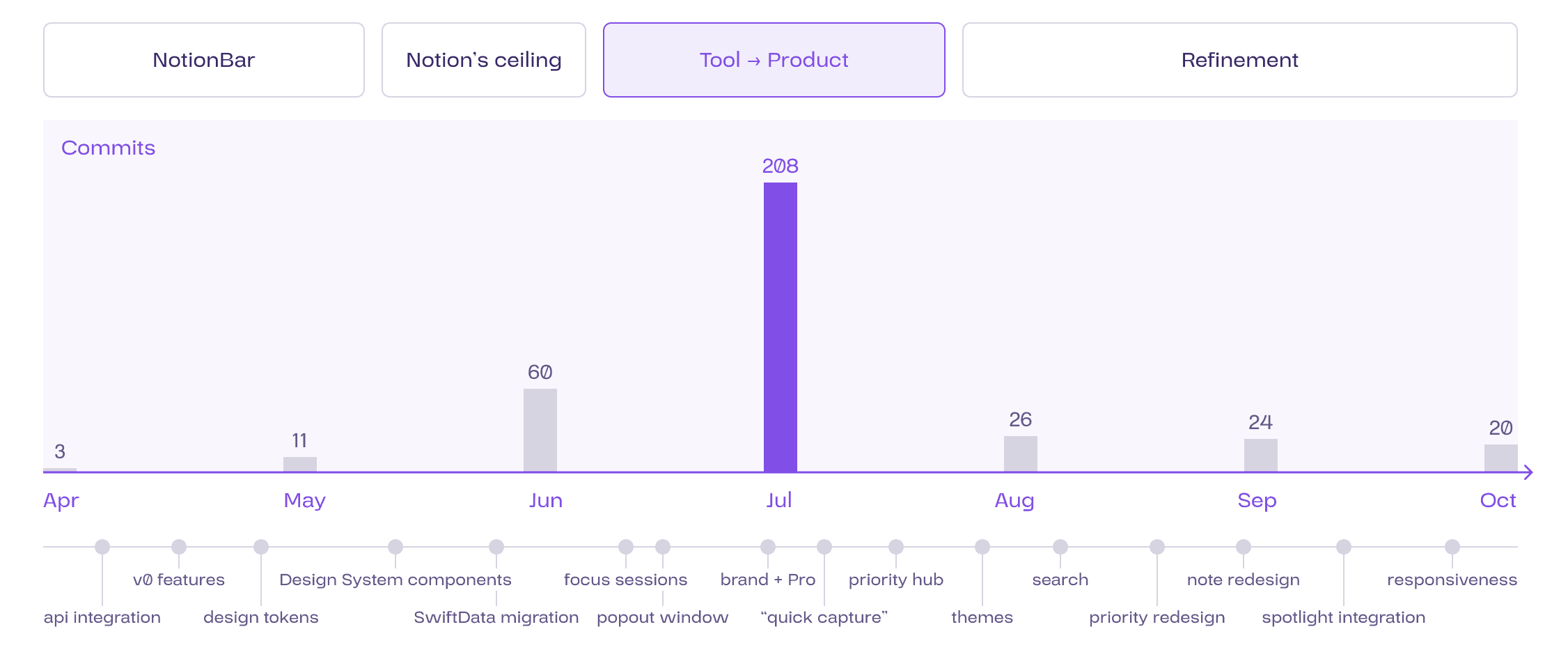
The first version existed only in code and looked like a poor stock macOS app: SwiftUI defaulted to its own components, not the ones I wanted to design. Every detail I cared about took a long prompt, and text-based iteration couldn't carry my taste. I was losing speed exactly where quality lives, so I set checkpoints: stop, design by hand in Figma, clean up debt, then build.
Step 3: Improving the harness
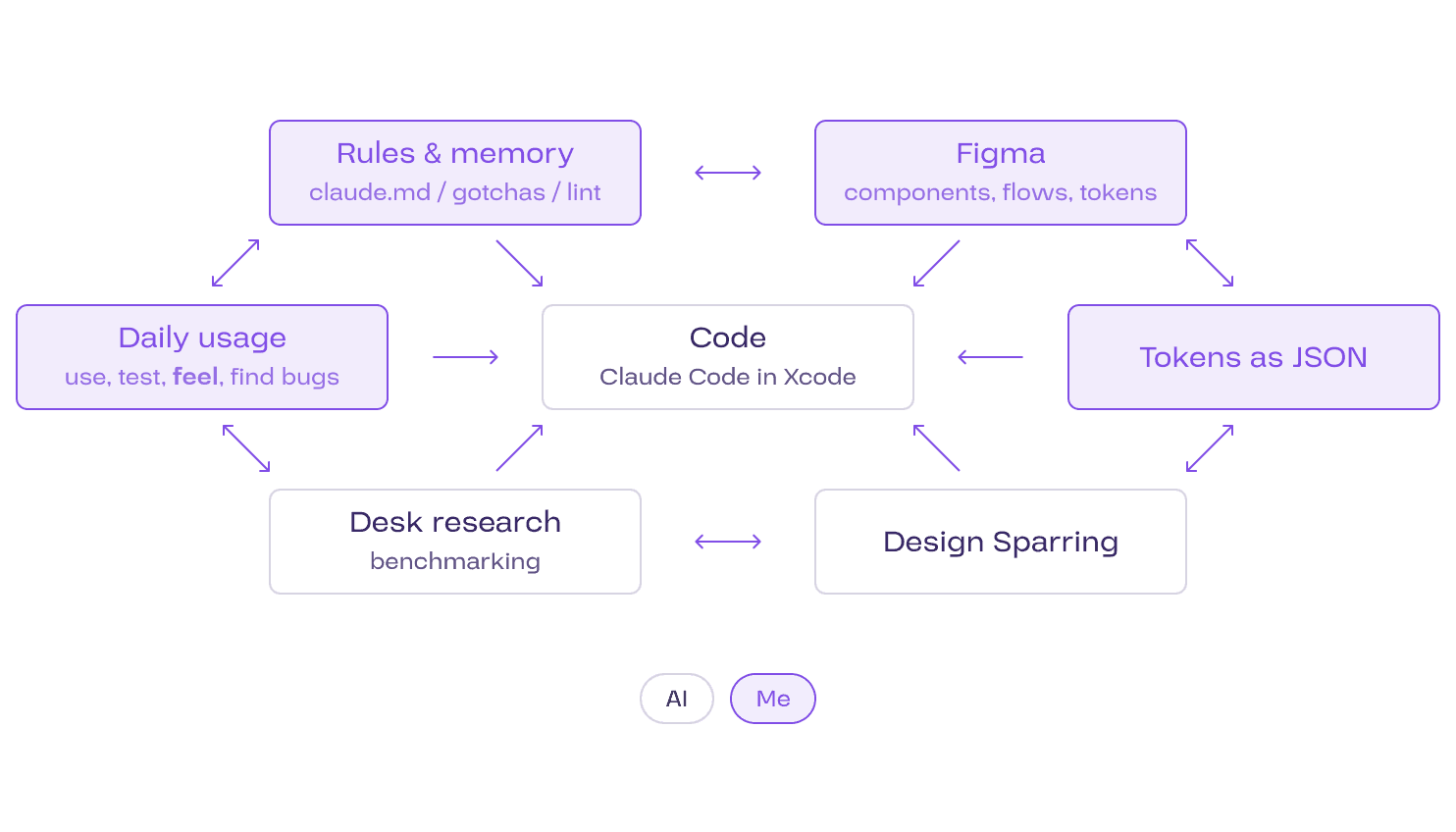
Once tokens and components existed in Figma, quality jumped and I could finally reuse patterns. I (re-)designed every component by hand, mirrored the tokens in code and wrote rules the AI had to follow. Figma, code and daily use became one loop I could steer alone.
Fast, but too macOS
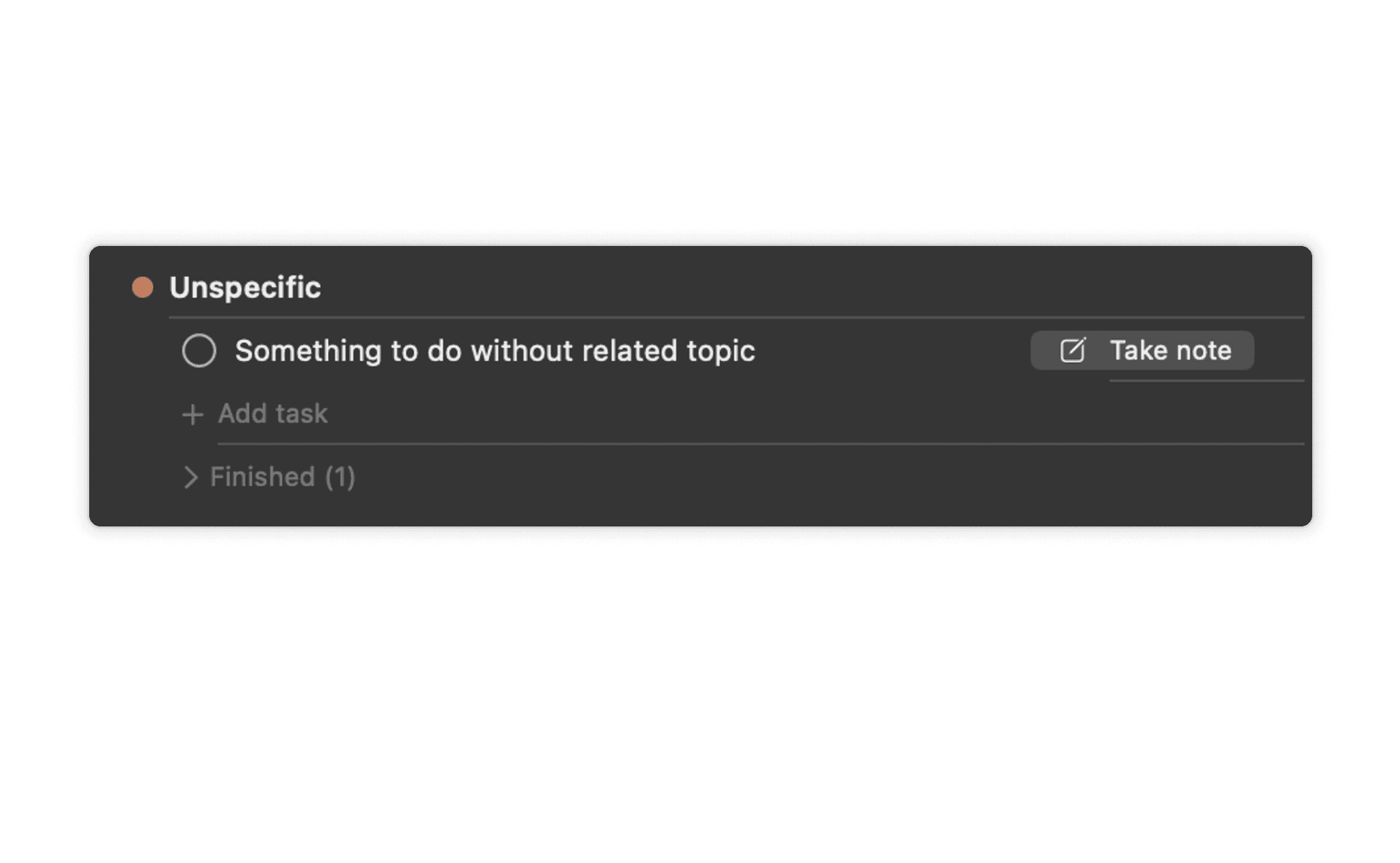
Code-first got me a working app quickly, but SwiftUI defaulted to stock components I wanted to design myself. A quote from a workshop I gave to colleagues about vibe coding at the time: “It's too macOS … but I'm losing speed when doing details!”
Checkpoints to design by hand
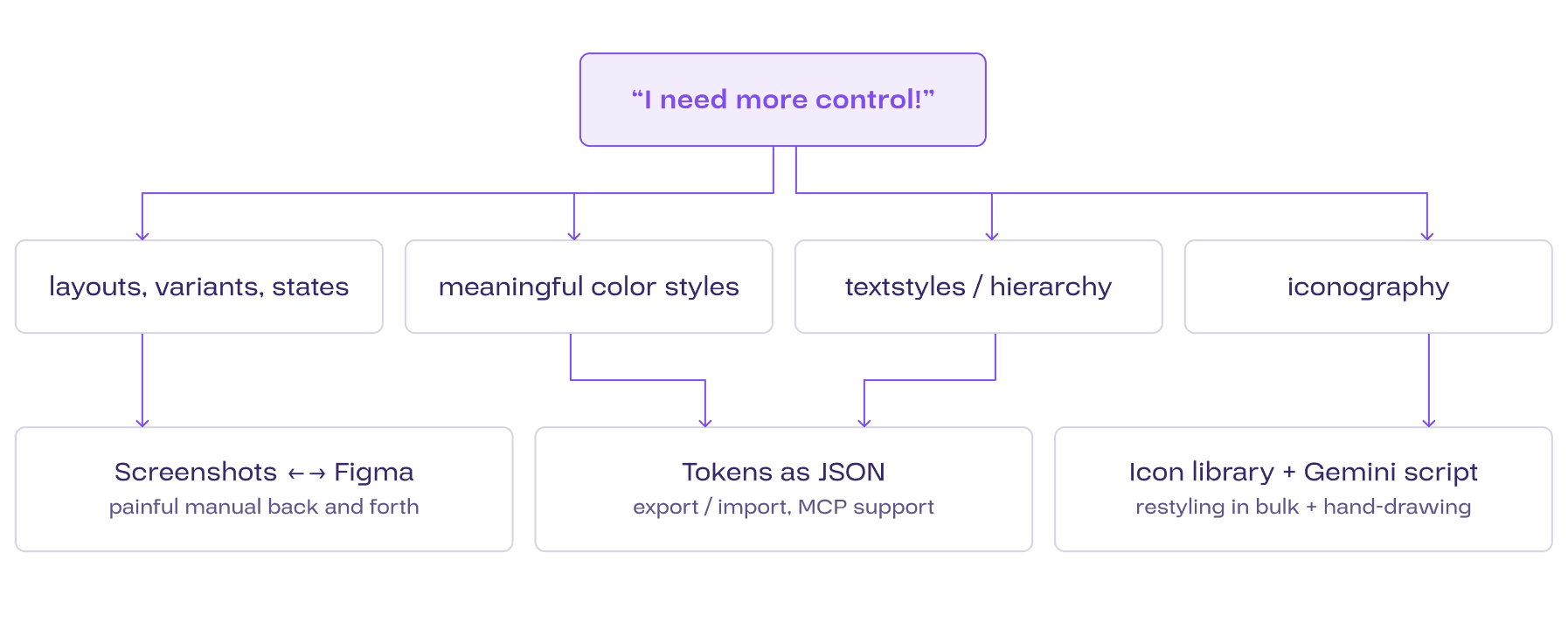
I split the problem into what I needed control over: layouts and states, color, type and icons. Each area got its own route into Figma, and every component was finalized there by hand before bringing it alive in Xcode.
Layouts, variants & states
In the beginning I rebuilt screens in Figma from screenshots of the running app. It felt painful, and there had to be better ways: design-from-code plugins like html-to-design work for web projects, but not (yet) for a Swift-based Xcode app.
Color & text styles
I brought some foundational primitive and semantic tokens over from an existing Figma project and let Claude create the code equivalents. A plain JSON export and import did most of the work and I used the Figma MCP only where it really helped, which saved tokens.
Icons
I started from a free icon library that matched the need, somewhat, and had Gemini write a deterministic Figma script that restyled every icon in bulk. Whatever the library lacked, I drew by hand in the same style. Modern LLMs write working plugins for a specific need in seconds.
“Sometimes I built it in Figma first, sometimes I prompted Claude Code first. Both routes were viable. Keeping track of the deltas is the hardest part.”


My loop between Figma and code
My best loop: sketch the idea, let Claude Code generate a first component, redesign it in Figma on top of a screenshot, then point it at the new design. AI adapts something that exists far better than it invents from nothing.
Why this matters
What I never handed off
Which components exist, when a custom one is allowed and which tokens it uses needed to stay my call. Client projects taught me how fast design debt cripples speed and quality. Claude Code wrote code to my specs and explained the performance trade-offs of designs I pitched, which I then had to judge.
You must feel your user flows
I designed every flow myself and used the app every day. That's how I tuned mouse travel, shortcuts, the path through prioritized tasks and edge cases where nothing should get lost. The journeys and general UX challenges can only be solved by feeling the thing.
Shortcuts feel free
When building feels fast and cheap, it's tempting to skip validation and diligence. Every skipped step came back later as debt though: bugs, hacks and workarounds nobody had designed piled up quickly and I am still ironing out early “quick-wins”.
What helped
AI does more than asked
Claude regularly broke existing flows while building something new, ignored pixel alignment and invented component variants that followed none of the rules. Improving the harness was key.
What helped
The verification gap
Some problems got harder than my ability to verify the fix. Speed became a clear risk, especially with my own real data inside the app every day.
What helped