Caring for individual needs
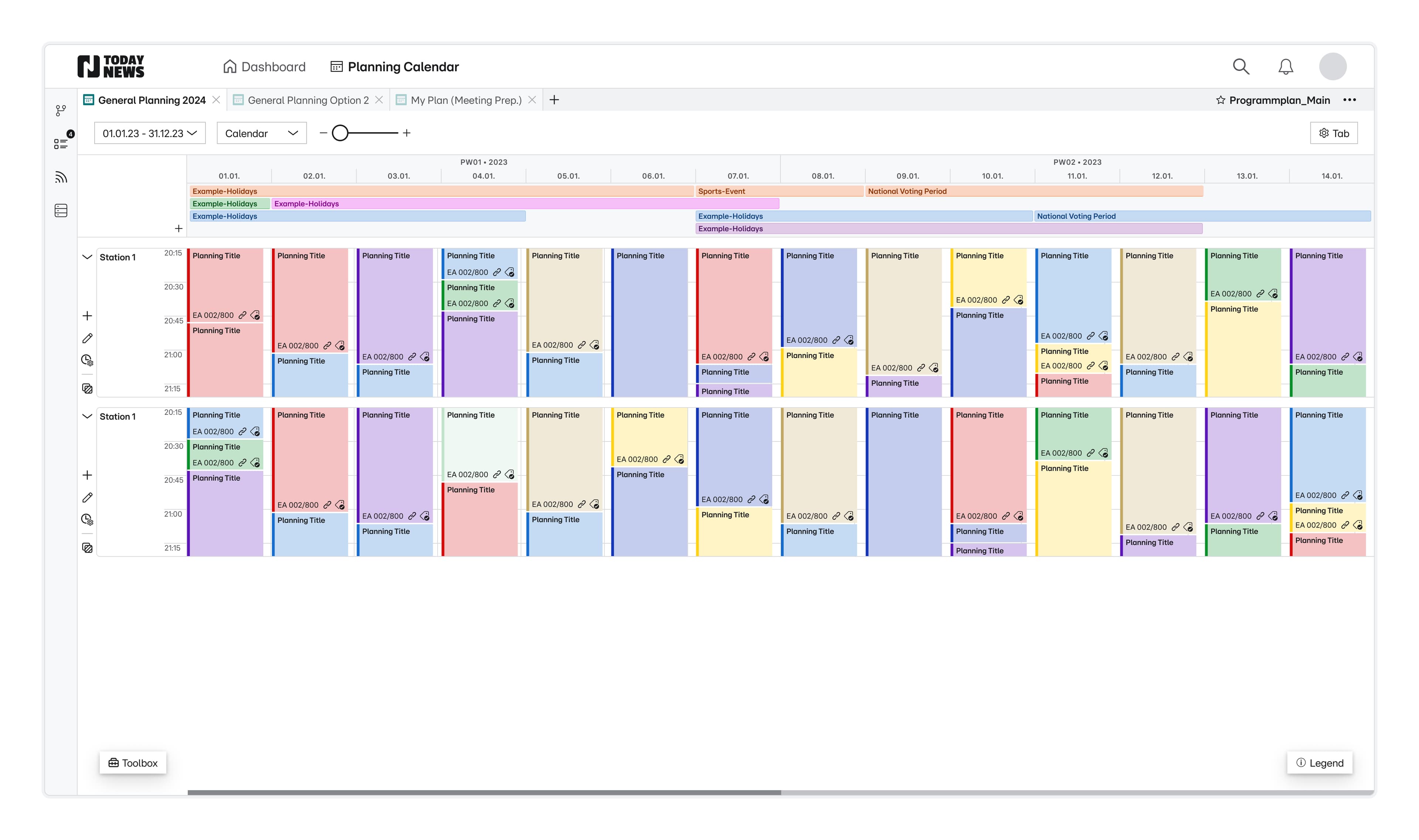
The heart-piece of the tool, the calendar view, is supposed to care for multiple personas and their unique needs, while being easy to understand.
Smart hierarchy, reduced to the core
The UI conceals powerful tools and functions behind a standardised, easy-to-understand and reduced interface. With just a few interactions, users can delve into deeper layers of information in a targeted manner.
High information density
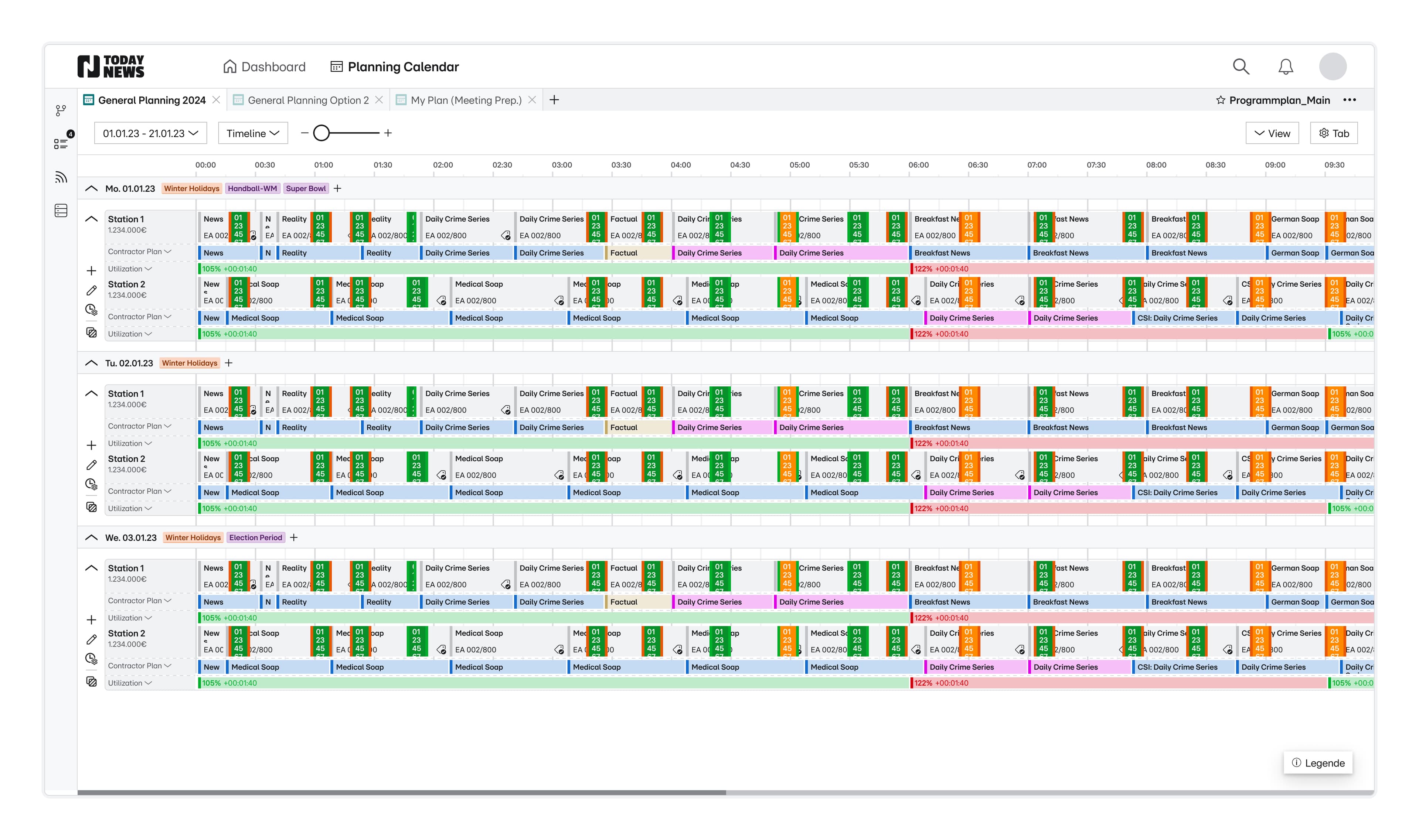
Building a pro-tool, required me to balance an overwhelming amount of requirements with the fundamental need for white-space and readability.
Adjustable lanes
The timeline view is mostly used by teams planning the advertising slots. While being similar to the day-view, I added the advantages for readability of information in multiple lanes (less text wrapping) and thereby allow for data-comparison with multiple days vertically. It also provides more space to the time-axis by laying it out horizontally. This way, I made an entire 24h day fit on the screen.
Being ahead of the competition
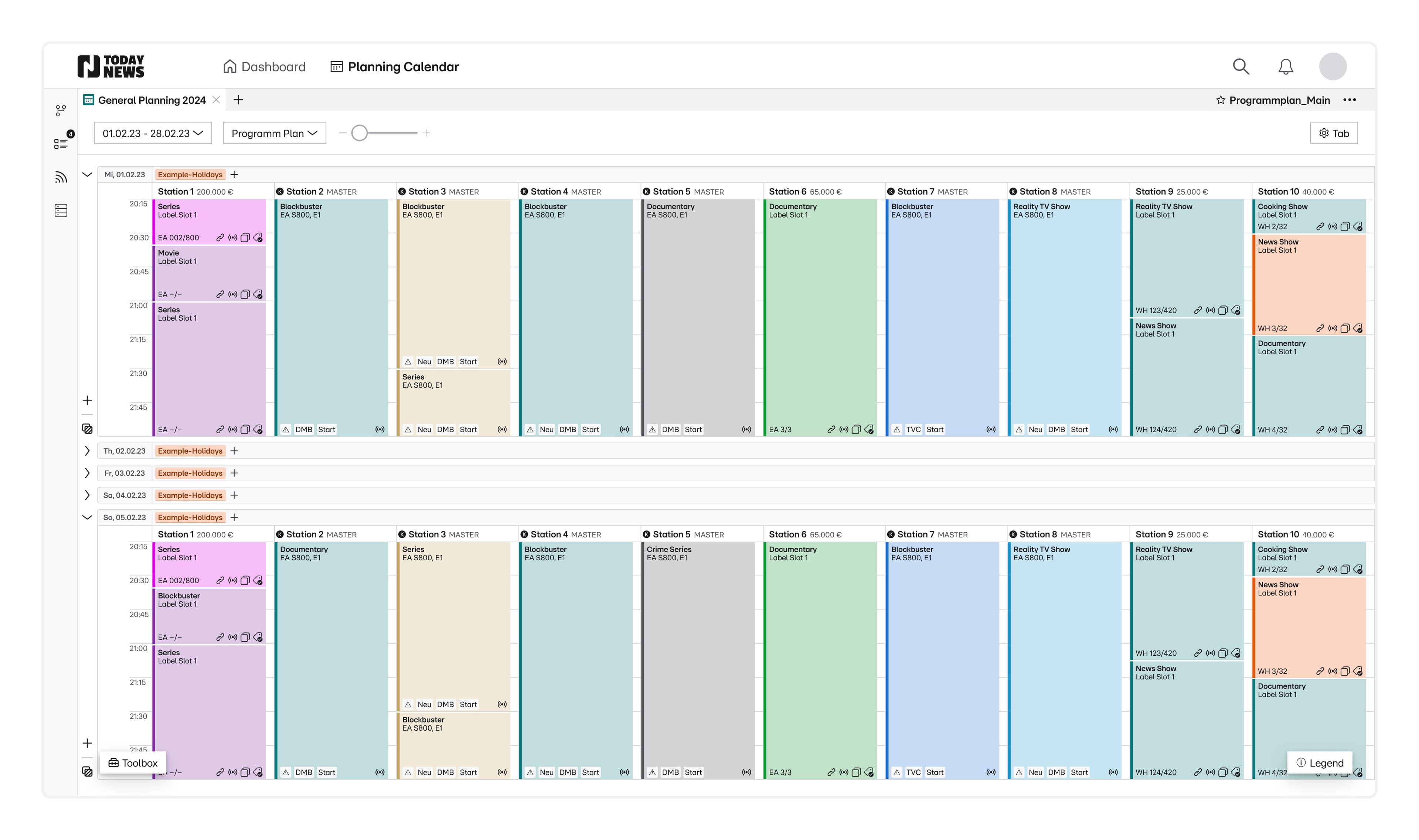
The Department of National Research primarily needs to use the Program Plan view to compare its current programs with competitors' broadcasts over a set period, enabling quick adjustments to increase target group coverage.
Trustworthy content data management
In close collaboration with internal Data Experts, I worked on views filled with competition data, that's validated and useful. Adding the possibility to compare stations in one view, investigate details and collaboratively edit data was the most impactful.
Inventory-Assignment
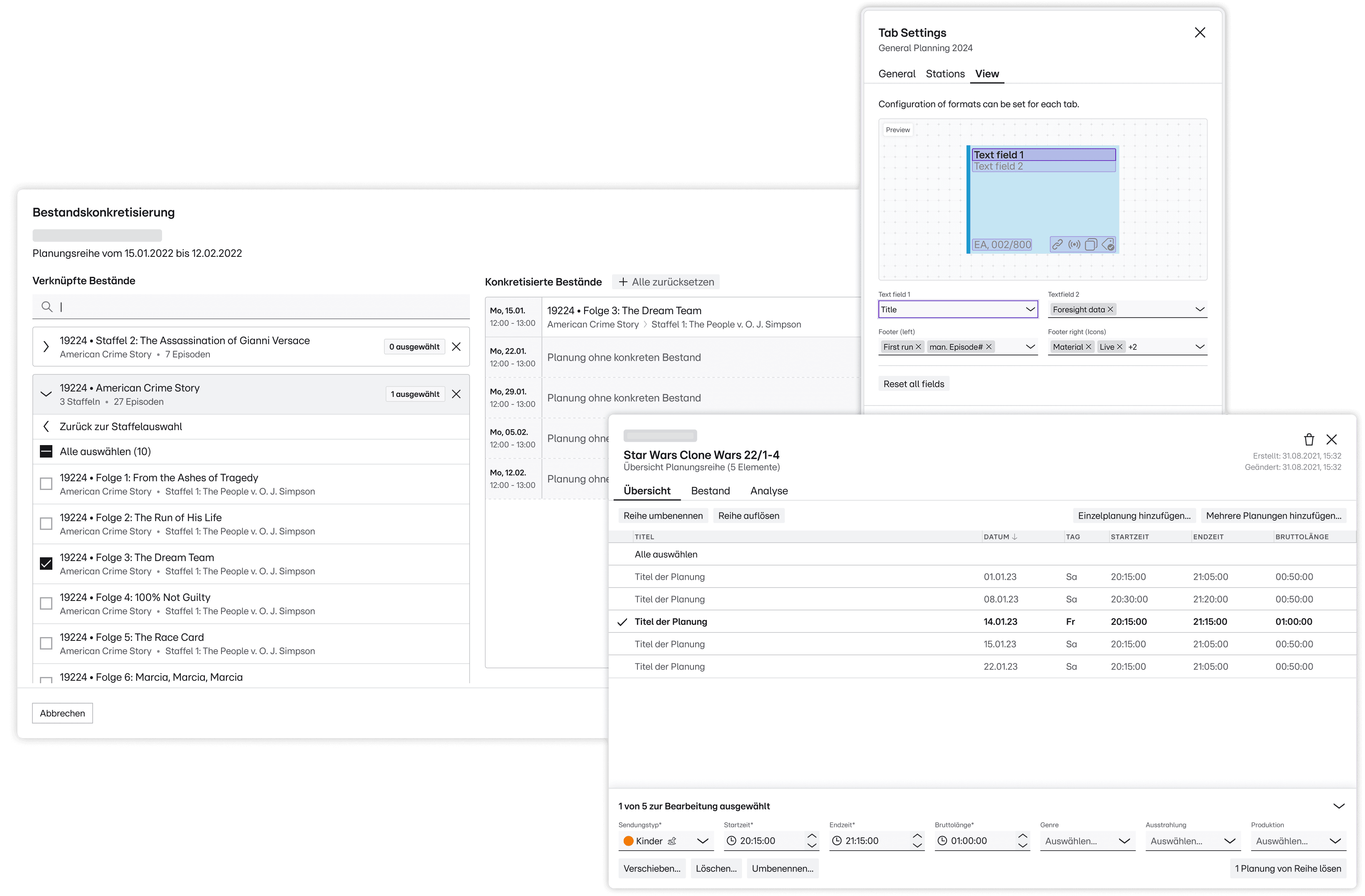
The client has a huge amount of shows, films and other elements to plan for each single day. Assigning those in smart ways, individually or series-based, was the challenge, which was the basis for the highly assistive and playful feature I iterated on for quite a while.
Tab Settings
Most users face hundreds of plannings for hours each day. Those plannings are loaded with details in the background, which are of different interest for different users. I dreamt of freeing them from “fixed sets of data” or “cluttered plannings”, by using visionary wireframes to fight for ressources to create a visual builder to create views for specific needs.
Planning serieses
The spotlighted feature, planning series, I have designed to combine the mass-editing benefits of excel with a more context aware set of attributes and fields. The feature is used for repetitive plannings, which enables e.g. strategic planners to plan out large timeframes with a few clicks. My highlight is the “powerful, dynamic bottom-toolbox”.
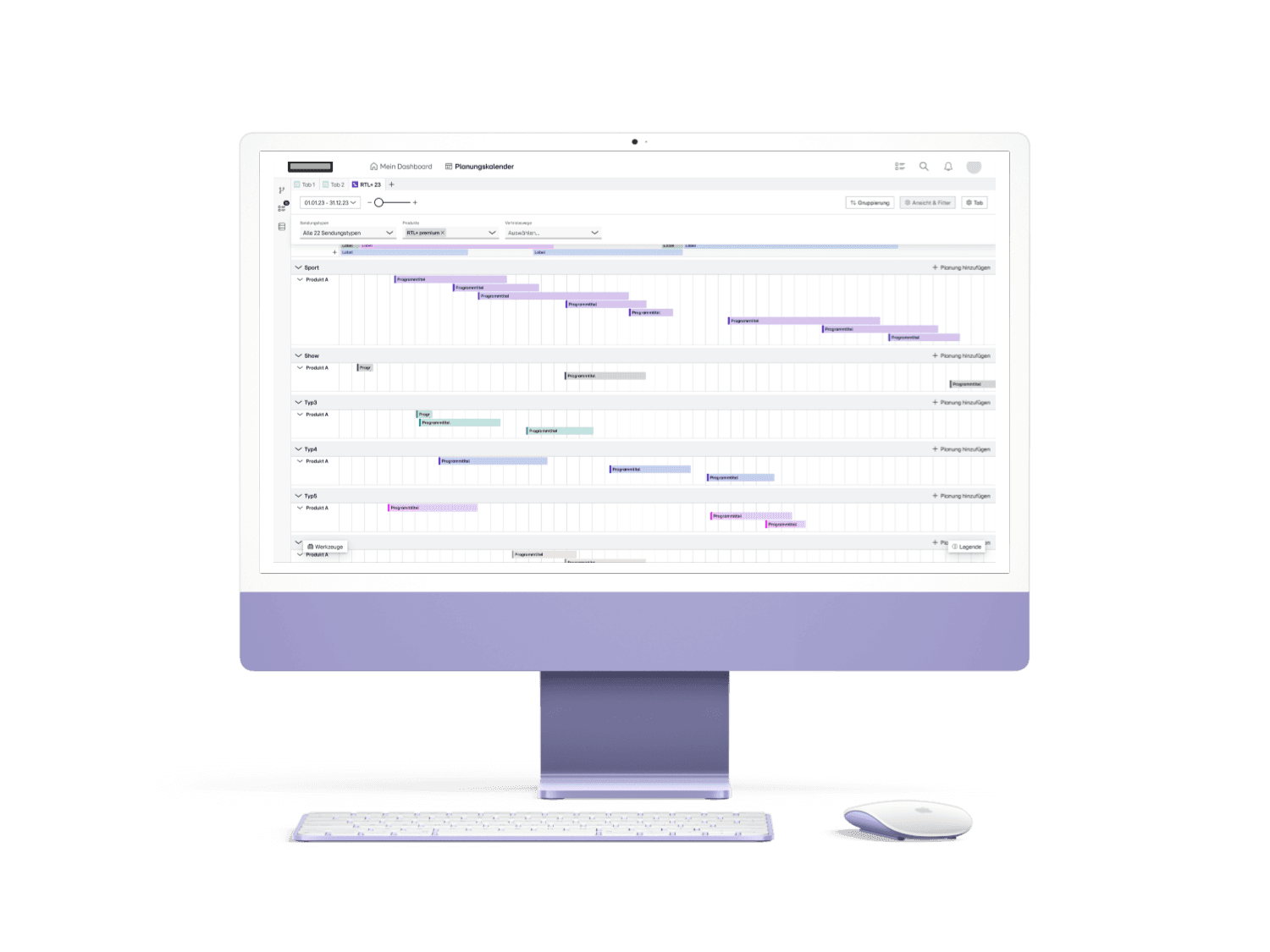
The uprise of streaming and non-linear planning
The client is heavily investing in their “non-linear” offering, but the tools and processes built up for it were also super clumsy and immature.
Seamless integration of a new calendar tab type
The needs of the view differ heavily but planning linear- and non-linear still goes hand-in-hand. So I designed a new type of Tabs, to make the view live right next to linear planning. This way I added cross-functional symbiosis without throwing users off.
Advanced power-feature tabbar
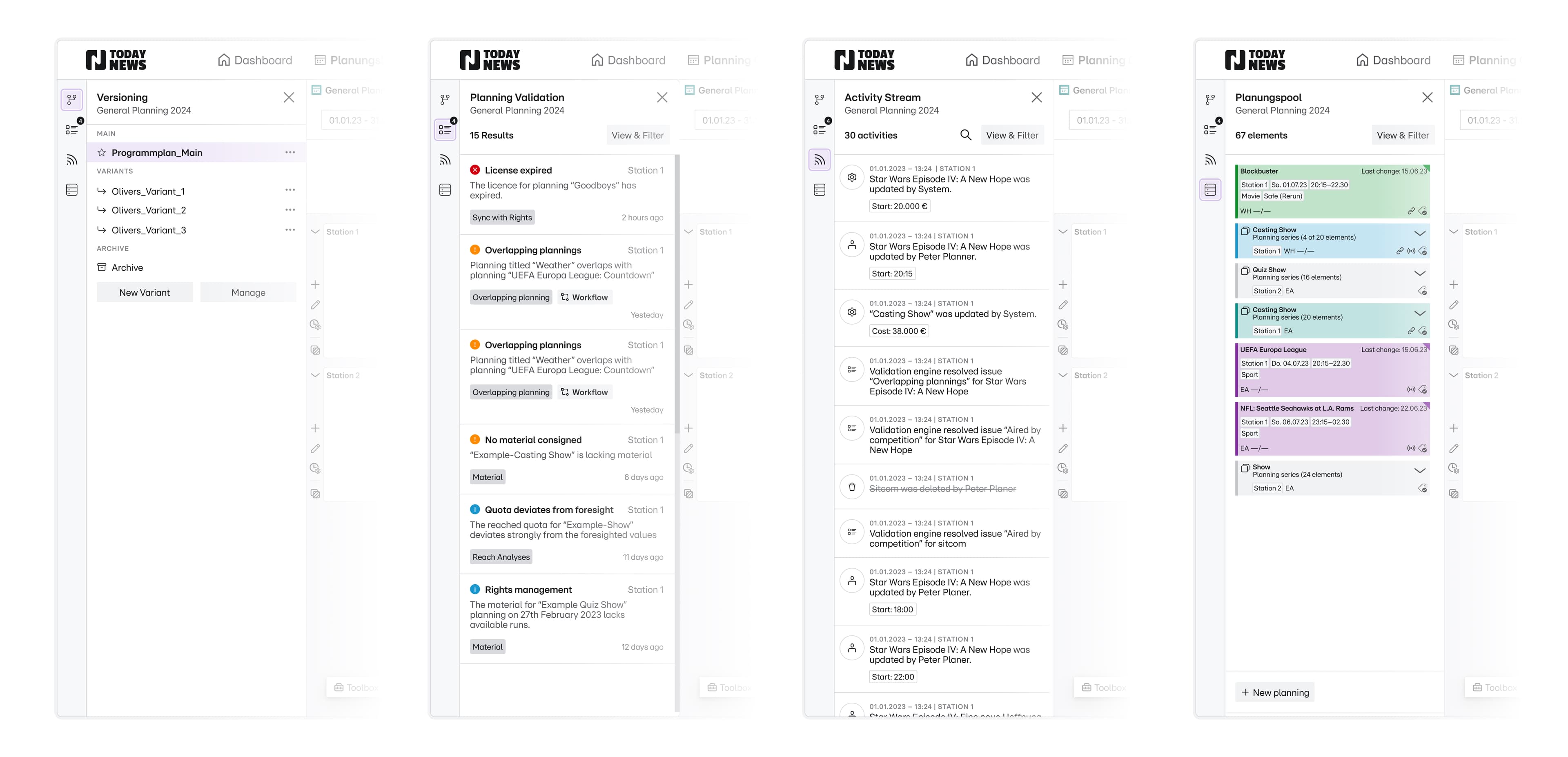
Working out version control, activity stream, a planning pool and automated validation from scratch was an exciting challenge and rare opportunity as designer. Regarding these features, my main focus was the planning pool which I led, while supporting the others.
Granular broadcast preparation
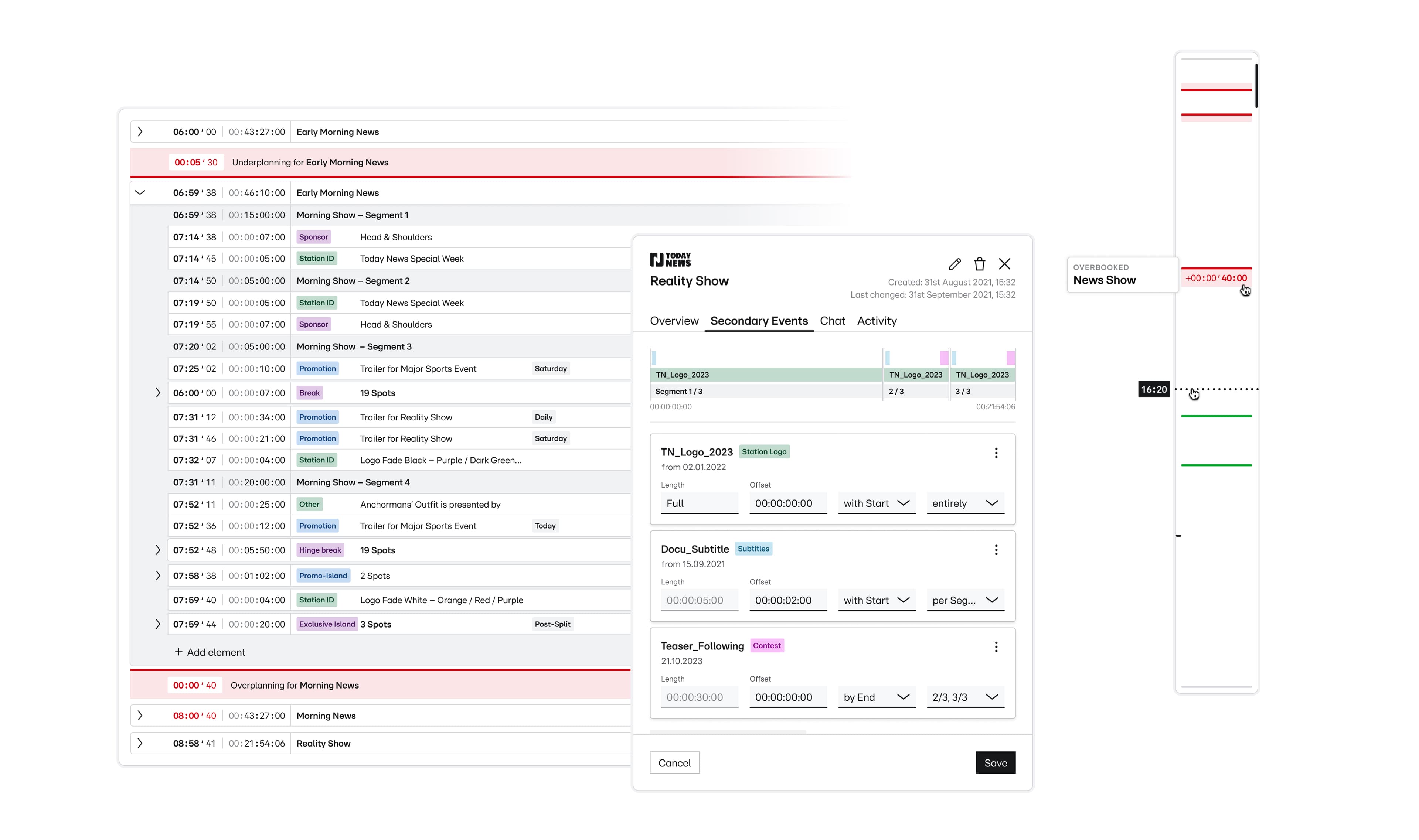
Getting closer to the actual broadcasting, users are faced with the challenge to finally process and prepare what will be broadcasted. A lot of primary and secondary footage needs to be reviewed, arranged, and put onto the timeline frame by frame. Changing advertisements last-minute and reporting to several stakeholders are crucial at this part of planning.
Allow framebased precisionwork
In collaboration the team designed the event-based broadcast-day-view. It\u2019s another heartpiece for crucial needs and allows precision-work. It\u2019s supported by automating workflows that used to be repetitive and prone to error. An intelligent scrollbar, for which I derived the inspiration in VSCode, helps visualize the need for action on the timeline and saves time in scrolling through the schedule.
Low-threshold exchange
The features shortened end-to-end processing time by making ongoing work transparent and removing communication barriers.
Case-sensitive customizations
In B2B contexts, limiting complexity in replicating legacy features should be a priority. However, given the diverse roles and specific needs of stakeholders, I prioritised case-sensitive customization capabilities to meet the tool's enterprise requirements.
The longterm value of investing in trustbuilding
Growing close together with users and stakeholders secured buy-in from all sides. In the meantime the project just went into its third year and the client loves the collaboration.